
SIMPLY SCAN YOUR ELIGIBLE HKIFFS PROGRAMME TICKETS AND EARN CINEPOINTS, REDEEM REWARDS AT ANYTIME! EARN ONE CINEPOINT FOR EVERY HK$1.00 YOUR SPEND.
*Tips: You may scan the QR code on tickets starting from one working day after the transaction and up to 14 days after the screening has ended.
How to Scan
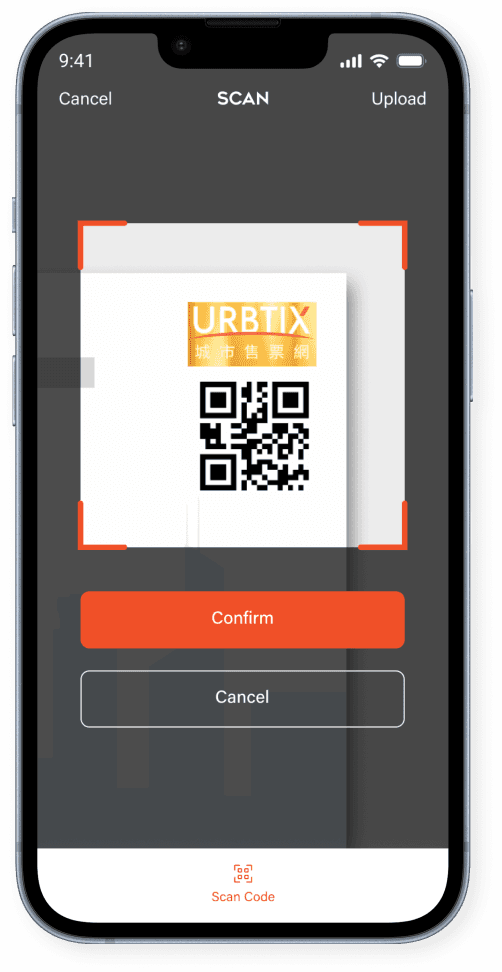
Step 1A | Scan Ticket
- Align the shooting frame displayed on your mobile device with the top-right corner of the ticket to scan the QR code.
- Ensure the QR code is fully visible within the frame and that the ticket is placed on a flat surface with adequate lighting for accurate scanning.

Step 1B | Upload Photo
- Choose a photo from your device that contains the full QR code on the top-right corner of the ticket.
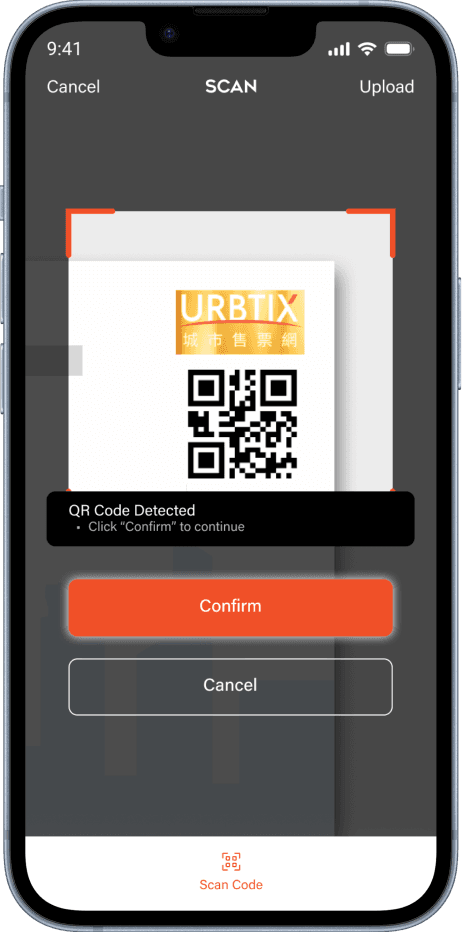
Step 2 | CONFIRM DETAILS
- Once the system successfully detects the QR code or uploads the photo, review and click "Confirm".
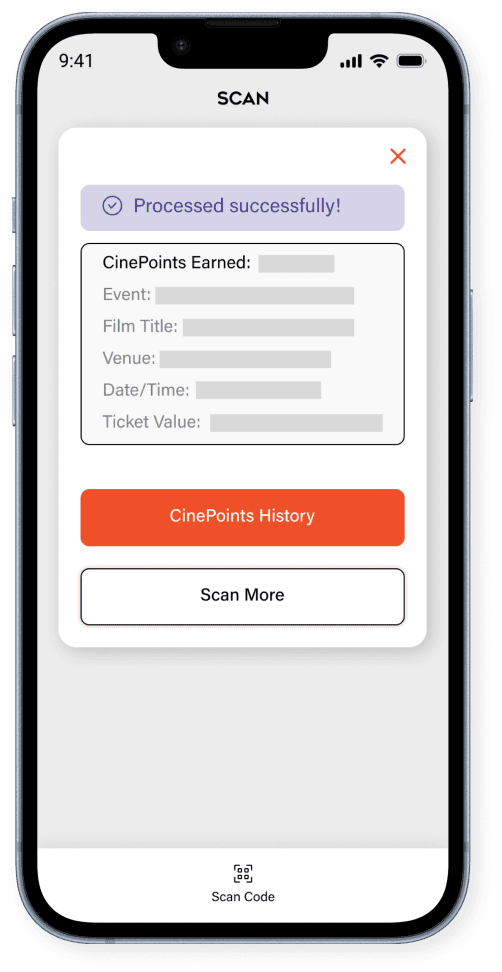
Step 3 | SCAN MORE
- After confirmation, a message will appear with the details of the registered ticket, including the event name, date, and CinePoints recorded.
- You may click "Scan More" to scan another eligible ticket or "CinePoints History" to view the details of all scanned tickets.